Update a sale price
Change 20% to 30% on a sale sign.
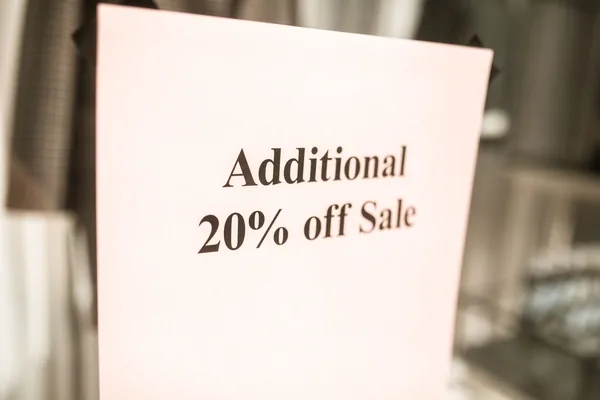
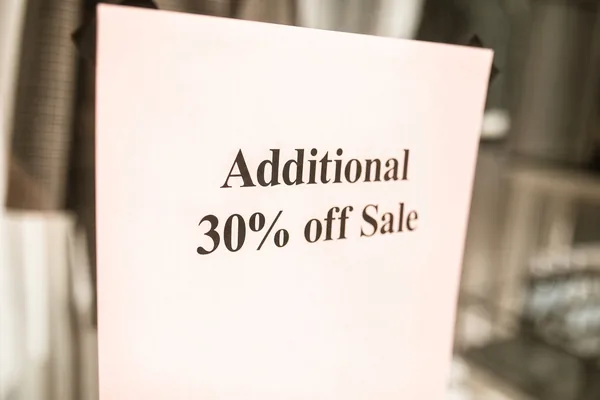
Original photo by RDNE Stock project / Pexels. Pexels License. AI-edited results are shown for comparison.
Replace words, prices, and dates in your images. AI uses the original lettering, color, and texture as a visual reference — no Photoshop or design files needed.
1 free HD image · No signup to try
PNG, JPG or WebP · Up to 10 MB · Files deleted after 24 hours
Upload only images you have permission to edit. Read our Terms and Privacy Policy.
How it works
An image text edit runs right in your browser: retype the words you want changed and keep the original style — no design software and no source file. For a closer look at how to keep the same font, compare our style-preservation examples.
12For example: change 20% to 30%.
Original photo by RDNE Stock project / Pexels. Pexels License. AI-edited results are shown for comparison.
The same 20% to 30% edit, generated three times. Compare the details and choose your version.
What you can change
From printed prices to handwriting, decorative lettering and busy menus. Compare each real edit with its original.
Change 20% to 30% on a sale sign.
Original photo by RDNE Stock project / Pexels. Pexels License. AI-edited results are shown for comparison.
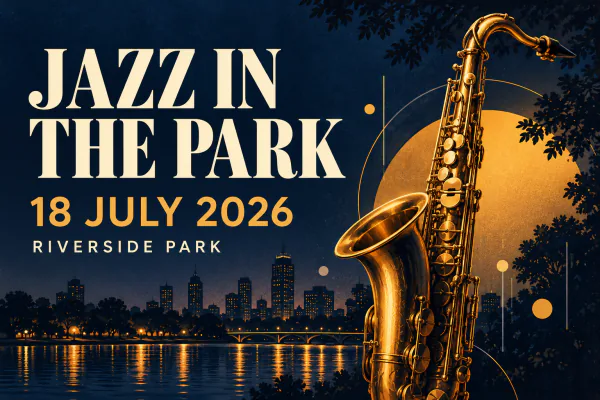
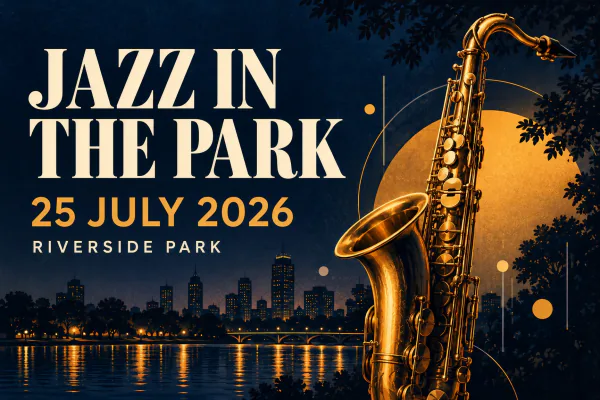
Change 18 JULY 2026 to 25 JULY 2026 on an event poster.
Change 6:30 AM to 7:30 AM on a shop sign.
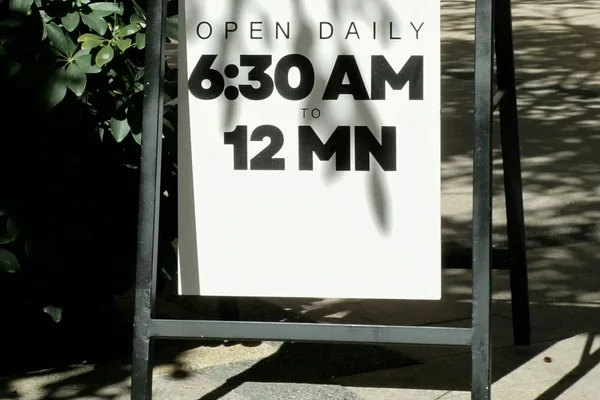
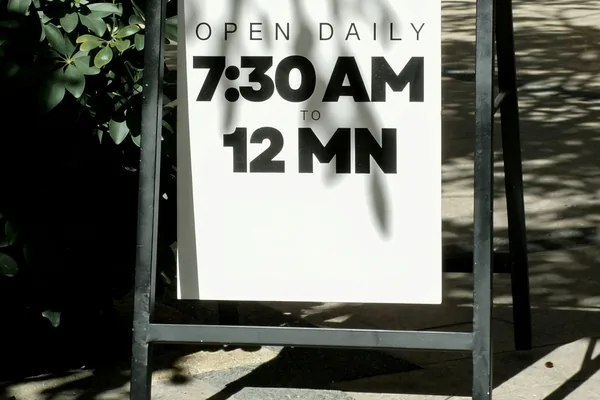
Original photo by Jenn Causing / Unsplash. Unsplash License. AI-edited results are shown for comparison.
Change “CAN” to “WILL” in a handwritten note.
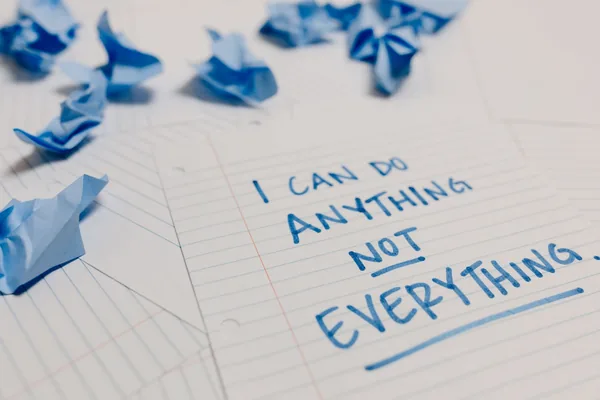
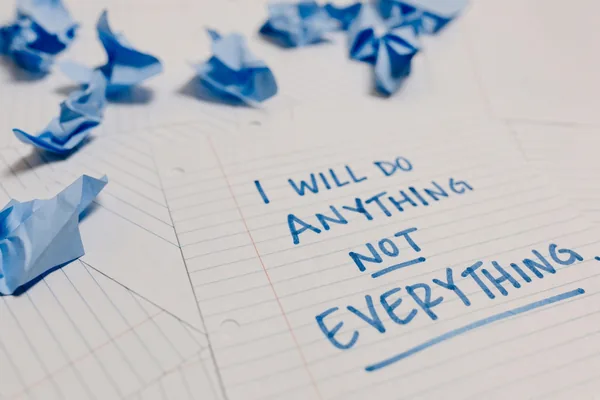
Original photo by Tara Winstead / Pexels. Pexels License. AI-edited results are shown for comparison.
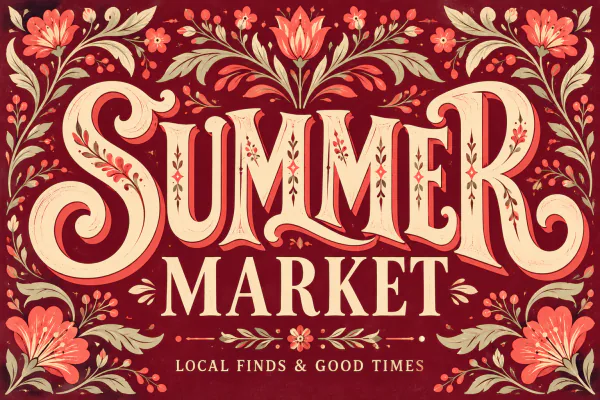
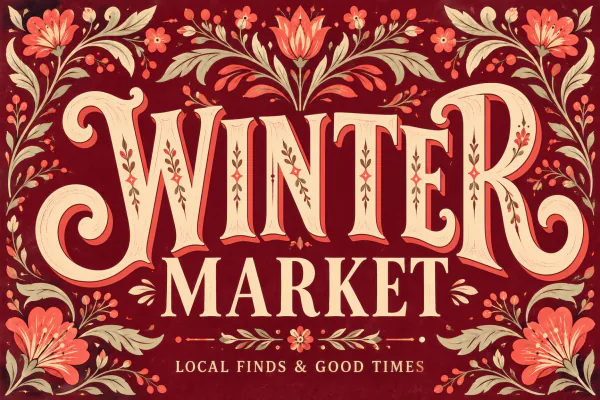
Change SUMMER to WINTER in an illustrated market poster.
Change the Cappuccino price from 430 to 450.
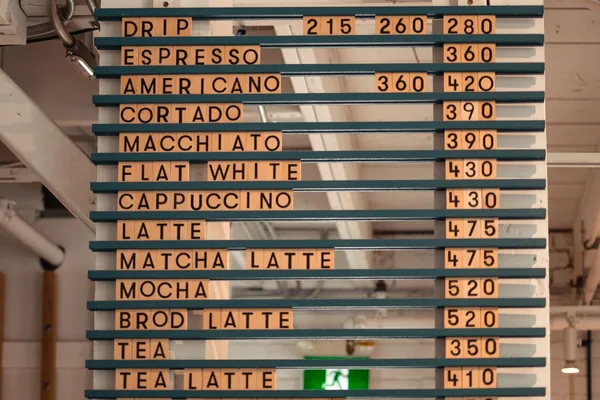
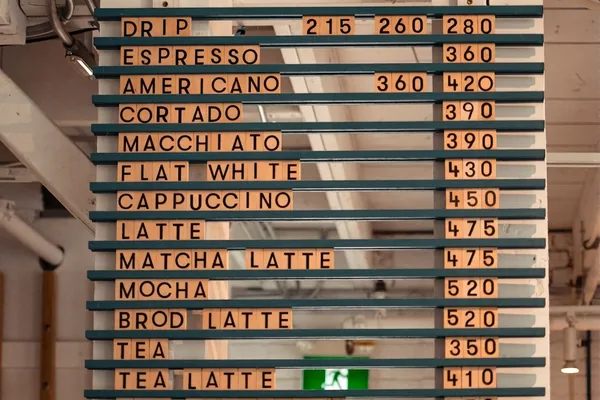
Original photo by Wendy Wei / Pexels. Pexels License. AI-edited results are shown for comparison.
3 edits for $4.99Every edit includes 3 image versions.
See pricingUpload your image, select a detected line and type its replacement — that is the whole image text edit. You can change several lines before generating one set of three versions. Compare the previews, then sign in with Google to download an eligible HD result. You do not need Photoshop, a source design file or a font file.
The editor uses your image as a visual reference to redraw text in a similar style, including colour and texture. It does not identify a font or match it to a font library. Exact lettering and unchanged background pixels are not guaranteed; compare all three versions for unwanted changes.
Start with sharp, readable text and enough surrounding detail. Short price labels, poster dates and shop signs are good starting points. Small or blurry letters, long paragraphs, dense menus, curved surfaces and strong perspective can be harder. Recognition and generation quality vary by language and script, so check spelling carefully; we do not guarantee a fixed list of supported languages.
Upload JPG, PNG or WebP files up to 10 MB. Each side must be between 32 and 6000 pixels; WebP files must also be no larger than 4 million pixels. PDFs, SVGs and editable design files are not supported. Export them as a supported image first.
Check the detected text before generating and enter the wording you want for each available line. Use Restore original to undo a change. If a line is missing, try a clearer image or crop around the relevant area before uploading again. The current editor does not let you draw a new text region manually.
The current editor replaces text in detected regions. It does not yet offer a dedicated text eraser or a tool for adding text in an empty area. Clearing a line restores its original text; it does not erase that line from the image.
Yes. Open the site in your mobile browser and choose a photo from your device. You can edit detected lines, generate three versions, compare them and sign in to download. No app installation is needed. If your phone photo is HEIC, export or convert it to JPG, PNG or WebP first.
You can try an eligible free edit before signing in: it produces three previews, and you can download one selected HD version after Google sign-in. The free allowance is one-time per eligible device, not a daily allowance. Repeated viewing of existing previews is free while the files are available; generating new sets requires another available allowance or paid credit. Sign-in is also required to buy credits.
One credit covers one image edit with three generated versions. You can replace several detected lines in that image within the same edit. A paid edit includes individual HD downloads of all three versions without another credit charge. Three versions are alternatives for one image, not three separate image edits. See credit packs and pricing.
Compare all three previews before choosing a result. If you want a different set, start a new edit with an available credit or allowance. There is no automatic free redo for a completed edit. If the service failed to work as described, contact support for review under the Refund Policy.
HD results are PNG images with a longest side of up to 1280 pixels. They are not guaranteed to retain the original image resolution, transparency or EXIF metadata. Previews are lower-resolution JPEGs, up to 800 pixels on the longest side. Inspect the result before using it for large prints or other work requiring fine detail.
No. A credit or free allowance is reserved while the task runs. It is confirmed as used only after all three versions are ready and the required safety check passes. Failed, timed-out or rejected tasks release that reservation automatically. A returned credit remains in your account; it is separate from a payment refund.
Edit files use private storage and access checks. Processing services receive the images needed to recognize text, generate results and check content safety. Images in our storage are scheduled for deletion 24 hours after a successful generation; unfinished uploads expire 24 hours after upload, and failed tasks’ images are scheduled for deletion within 24 hours of termination. Download before expiry. The Privacy Policy explains provider handling and the text, account and purchase records retained separately.
You can request a full refund for a credit pack if every credit from that order is unused and none is reserved. Waffo Pancake handles payment refunds as merchant of record; billing errors, defects and statutory rights are reviewed separately. See the full refund conditions and request process.
We do not offer a blanket commercial-use licence or guarantee that an output is cleared of third-party rights. Your input rights, applicable provider/model terms and local law determine whether a particular use is permitted. Verify them before using a result commercially. See the content and permissions terms.